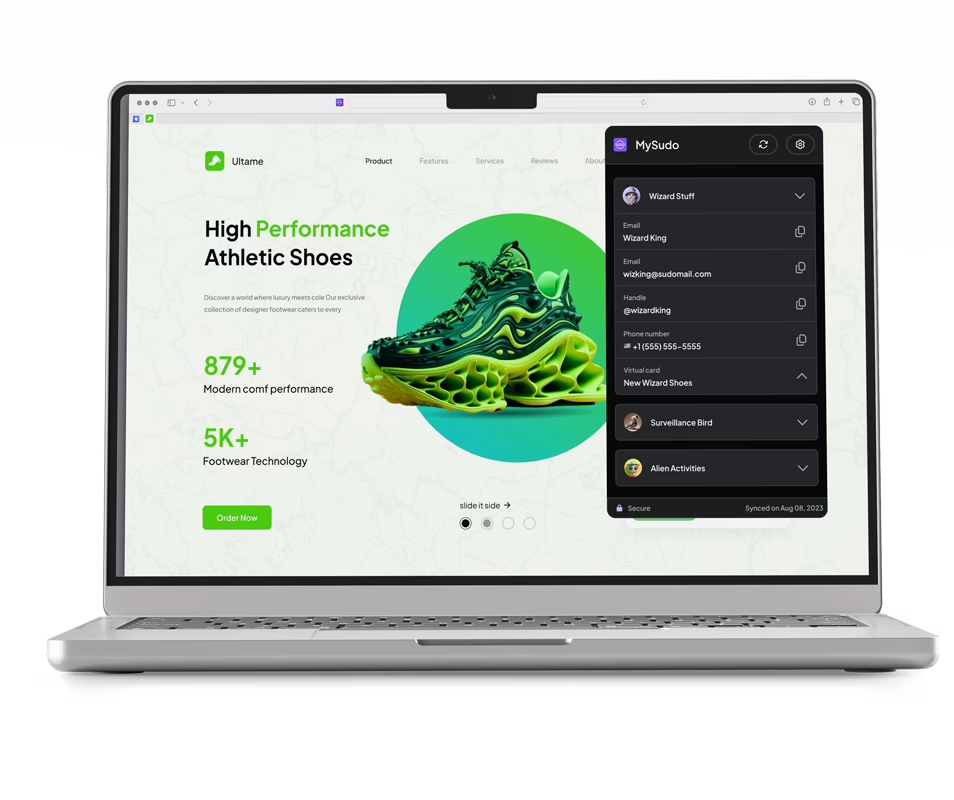
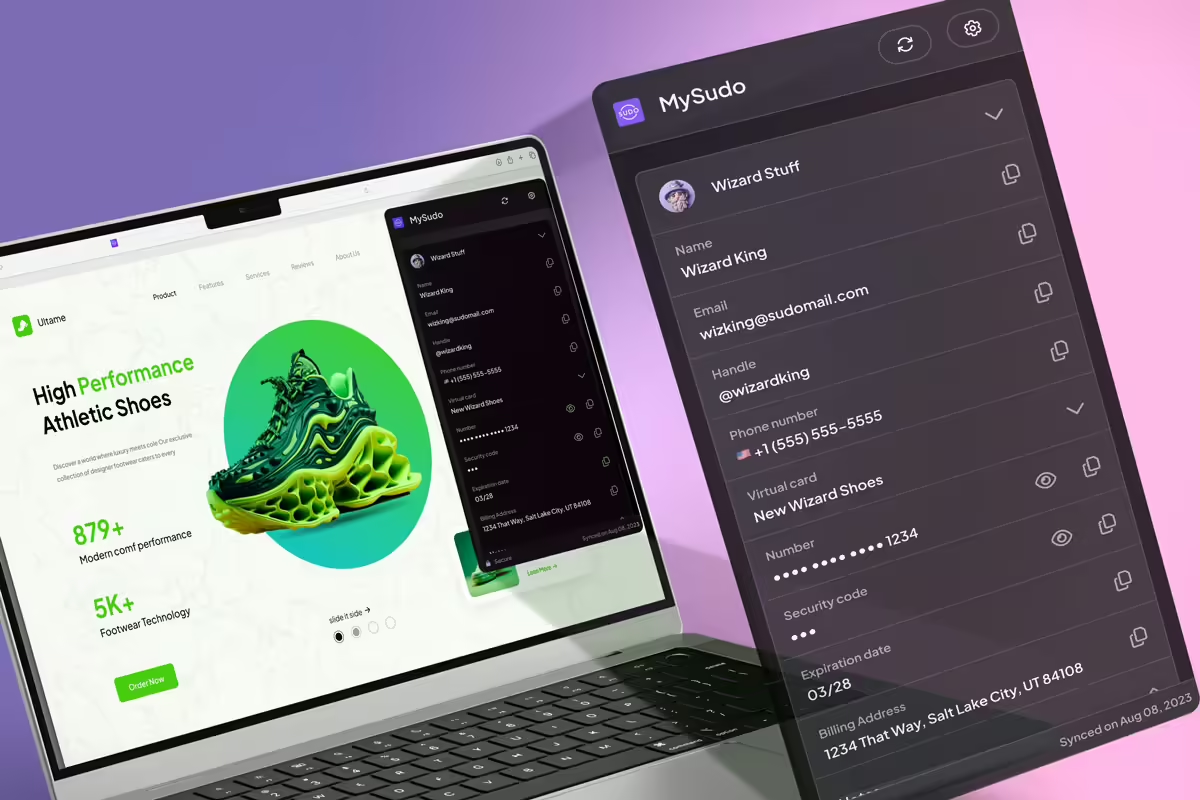
With the MySudo® Browser Extension, you can autofill and easily access your secure Sudo information on your preferred desktop browser. Stay tuned for exciting new features coming to the MySudo Browser Extension.
Choose and download your preferred browser extension here:
Step 2:
Open the MySudo app on your mobile device:
Tap: Menu > Link browser extension
Step 3:
Scan the QR code on your computer screen to pair with MySudo
Step 4:
Pin your browser extension for easy access to your MySudo credentials
Privacy meets convenience
Integrating MySudo into your life has never been easier. Now, you can shop conveniently and privately by autofilling your Sudo information from the MySudo Browser Extension.
Effortlessly access your Sudo credentials on your computer
Maximize the power of compartmentalization and privacy. Organize and protect your online activities by autofilling your MySudo information on your computer instead of your personal information.
We're here to help
Head to our Support hub or reach out on X @MySudoApp or email at support@mysudo.com
Yes, the MySudo Browser Extension makes an encrypted connection with the MySudo mobile application when you pair with a QR code. All your Sudo details remain secure within the Browser Extension for use when filling in forms or completing activities online.
Does MySudo Browser Extension work on mobile devices?
The MySudo Browser Extension is not currently available for mobile devices. However, future updates plan to include this feature to provide users with a seamless browsing experience across all devices. Stay tuned for further developments.
Does the MySudo Browser Extension auto-fill virtual card details?
Yes, the MySudo Browser Extension allows you to autofill MySudo virtual cards and billing information on your desktop.