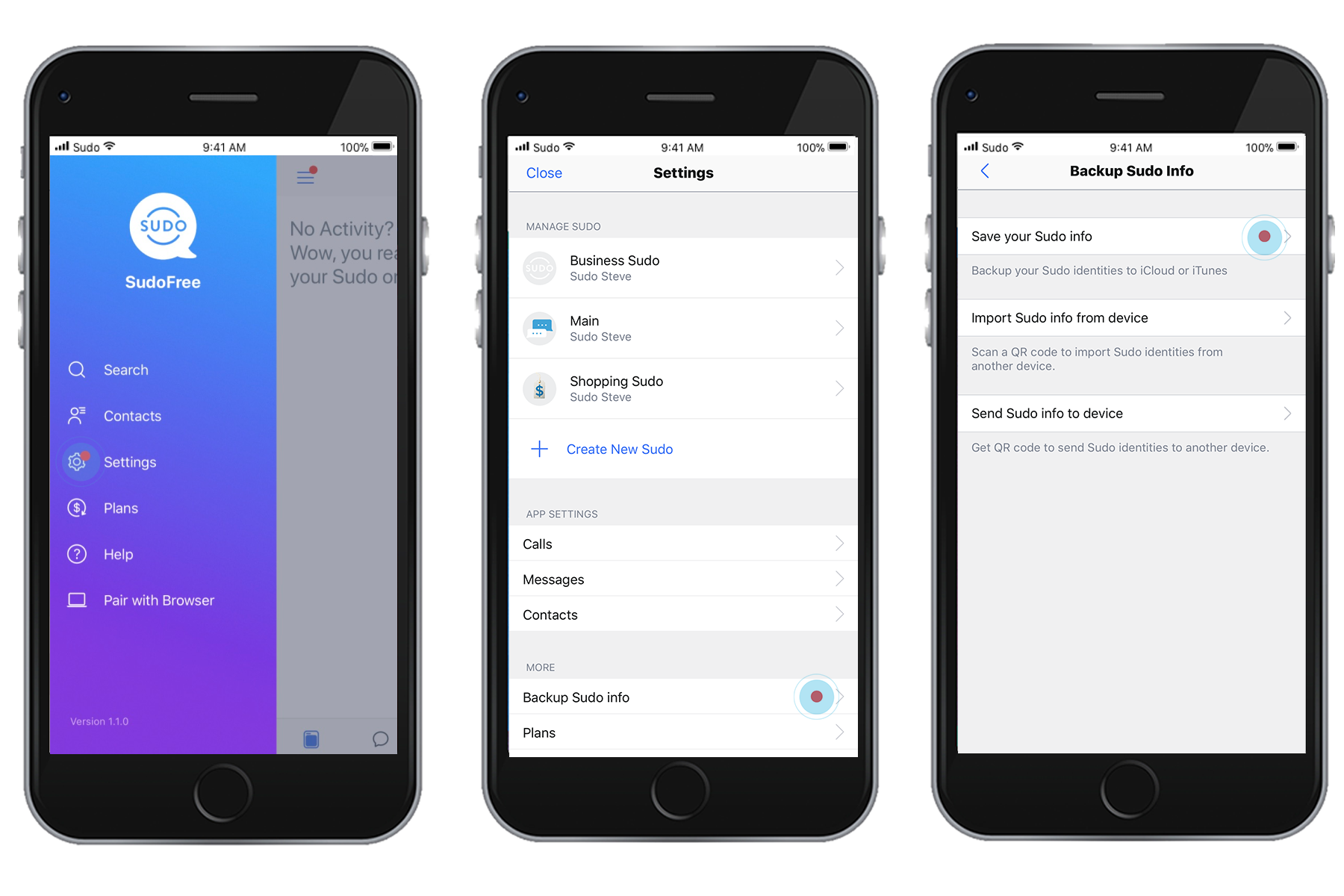
It is imperative that you create a backup of your MySudo account in order to recover your account in the event you lose your device, it gets damaged or you get a replacement device.
You must carry out the following two steps to successfully backup your MySudo account:
Step 1 – Create your MySudo backup/recovery password
- Tap the menu in the top left corner
- Tap Settings
- Tap Backup Sudo info
- Tap Save your Sudo info
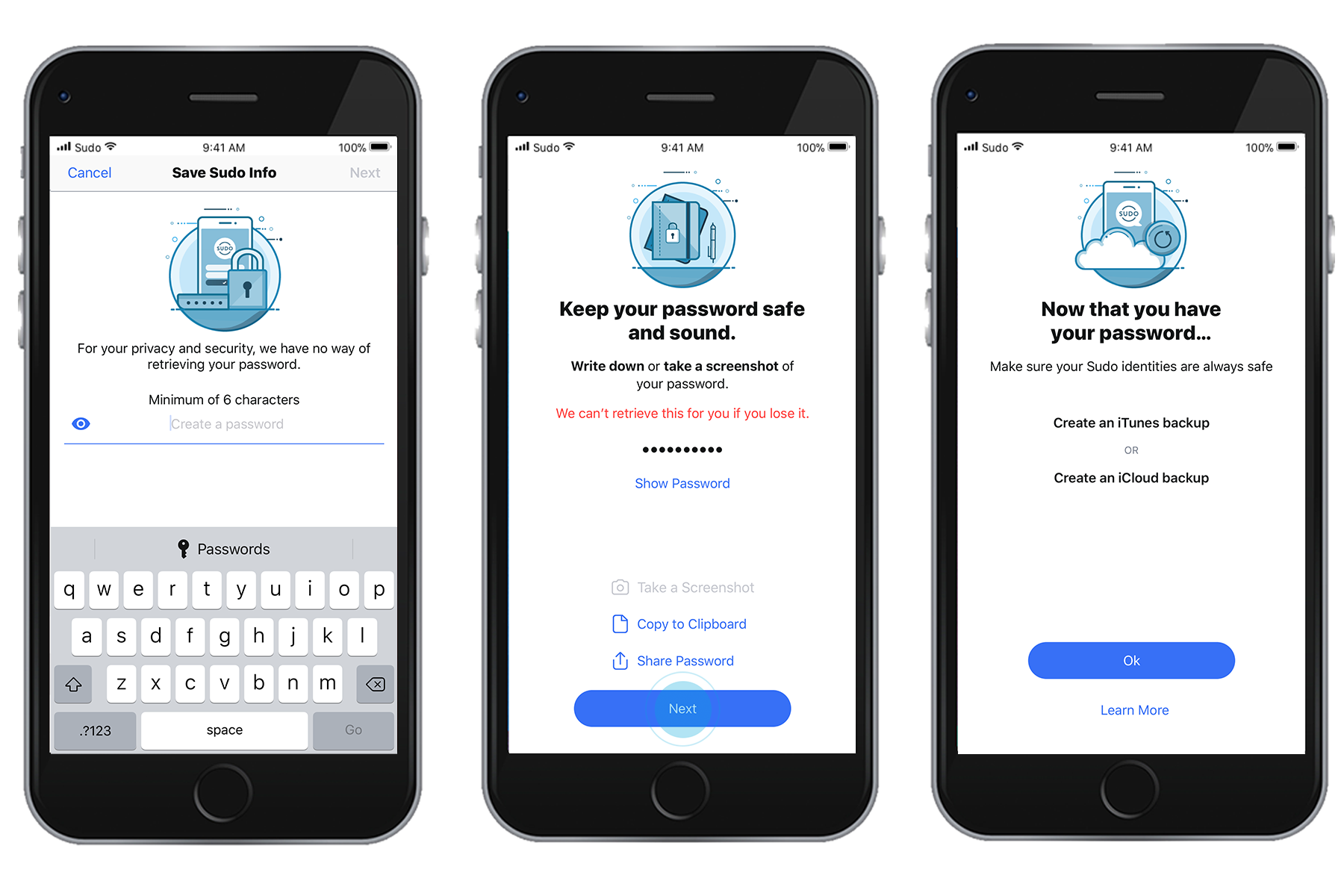
- Create a password
- Enter it again
- Keep the password in safekeeping for future use
Step 2 – Backup your MySudo account
- Create an iTunes or iCloud backup
Please ensure you retain your password in safekeeping as you will need this password in the future to restore your account in the event of losing your device or getting a replacement device. We cannot reset the password for you.
To restore your MySudo account from a backup, please follow these steps.
* The only other backup/restore option without a required password, is an Encrypted iTunes backup.